Technical SEO is the process of optimizing a website’s technical foundation so that search engines like Google can easily crawl, index, and understand its content. While content and backlinks are important for SEO, technical SEO ensures your website performs well behind the scenes.
If your website has slow loading pages, broken links, duplicate content, or indexing issues, it may struggle to rank—even with excellent content. Technical SEO helps remove these obstacles and creates a better experience for both users and search engines.
Why Is Technical SEO Important?
Google wants to provide users with the best possible search results. A website that loads quickly, is secure, mobile-friendly, and easy to navigate is more likely to rank higher.
Technical SEO helps you:
- Improve website crawling and indexing
- Increase page loading speed
- Enhance user experience
- Boost Core Web Vitals performance
- Improve mobile usability
- Reduce duplicate content issues
- Increase your chances of ranking higher in search results
Without proper technical optimization, search engines may not discover or understand your pages correctly.
Key Elements of Technical SEO
1. Website Speed
Fast-loading websites provide a better user experience and improve search rankings. Compress images, enable browser caching, use modern image formats, and minimize CSS and JavaScript files.
2. Mobile-Friendly Design
Most Google searches now happen on mobile devices. Your website should be responsive and display correctly on all screen sizes.
3. HTTPS Security
Secure websites use HTTPS instead of HTTP. SSL certificates encrypt data between visitors and your website, improving trust and SEO.
4. XML Sitemap
An XML sitemap lists important pages on your website, making it easier for search engines to discover new and updated content.
5. Robots.txt
The robots.txt file tells search engines which pages they should or shouldn’t crawl. Proper configuration prevents unnecessary pages from being indexed.
6. Structured Data (Schema Markup)
Schema markup helps search engines better understand your content. It can also improve your appearance in search results with rich snippets like FAQs, reviews, and ratings.
7. Fix Broken Links
Broken internal and external links create a poor user experience. Regularly check your website and repair or redirect broken URLs.
8. Canonical Tags
Canonical tags help prevent duplicate content by telling search engines which version of a page is the primary one.
Technical SEO Checklist
Use this checklist to improve your website:
- ✅ Website uses HTTPS
- ✅ Mobile-friendly design
- ✅ Fast page loading speed
- ✅ XML sitemap submitted to Google Search Console
- ✅ Robots.txt configured correctly
- ✅ No broken internal links
- ✅ Optimized URL structure
- ✅ Image optimization with alt text
- ✅ Canonical tags added
- ✅ Structured data implemented
- ✅ Core Web Vitals pass Google’s standards
- ✅ 404 errors fixed
- ✅ Redirects configured properly
Best Tools for Technical SEO
Several free and paid tools can help analyze your website:
- Google Search Console
- Google PageSpeed Insights
- Google Lighthouse
- Screaming Frog SEO Spider
- GTmetrix
- Ahrefs Site Audit
- Semrush Site Audit
- Bing Webmaster Tools
These tools identify technical issues and provide recommendations for improvement.
Common Technical SEO Mistakes
Beginners often make these mistakes:
- Slow website speed
- Missing SSL certificate
- Duplicate content
- Missing XML sitemap
- Poor mobile optimization
- Broken internal links
- Incorrect redirects
- Blocked pages in robots.txt
- Missing canonical tags
Fixing these issues can significantly improve your website’s visibility in search engines.
Conclusion
Technical SEO forms the foundation of every successful SEO strategy. Even the best content cannot perform well if search engines cannot properly crawl, index, or understand your website. By improving website speed, security, mobile responsiveness, structured data, and crawlability, you’ll create a strong technical foundation that supports better rankings and a superior user experience.
Start with the basics, monitor your site’s performance regularly, and continue improving over time. Technical SEO is an ongoing process, but the long-term benefits make it well worth the effort.
Frequently Asked Questions (FAQ)
What is Technical SEO?
Technical SEO is the optimization of a website’s infrastructure to help search engines crawl, index, and rank pages efficiently.
Is Technical SEO difficult?
No. Beginners can start with website speed, mobile optimization, HTTPS, and XML sitemaps before moving to advanced topics.
Does Technical SEO improve rankings?
Yes. It helps search engines access and understand your website, which supports better rankings when combined with quality content and backlinks.
What is the difference between Technical SEO and On-Page SEO?
Technical SEO focuses on website infrastructure, while On-Page SEO optimizes content, keywords, headings, and internal linking.
How often should I perform a Technical SEO audit?
A complete audit every 3–6 months is recommended, with regular monitoring through Google Search Console.
-
On-Page SEO vs Off-Page SEO: Complete Beginner to Advanced Guide
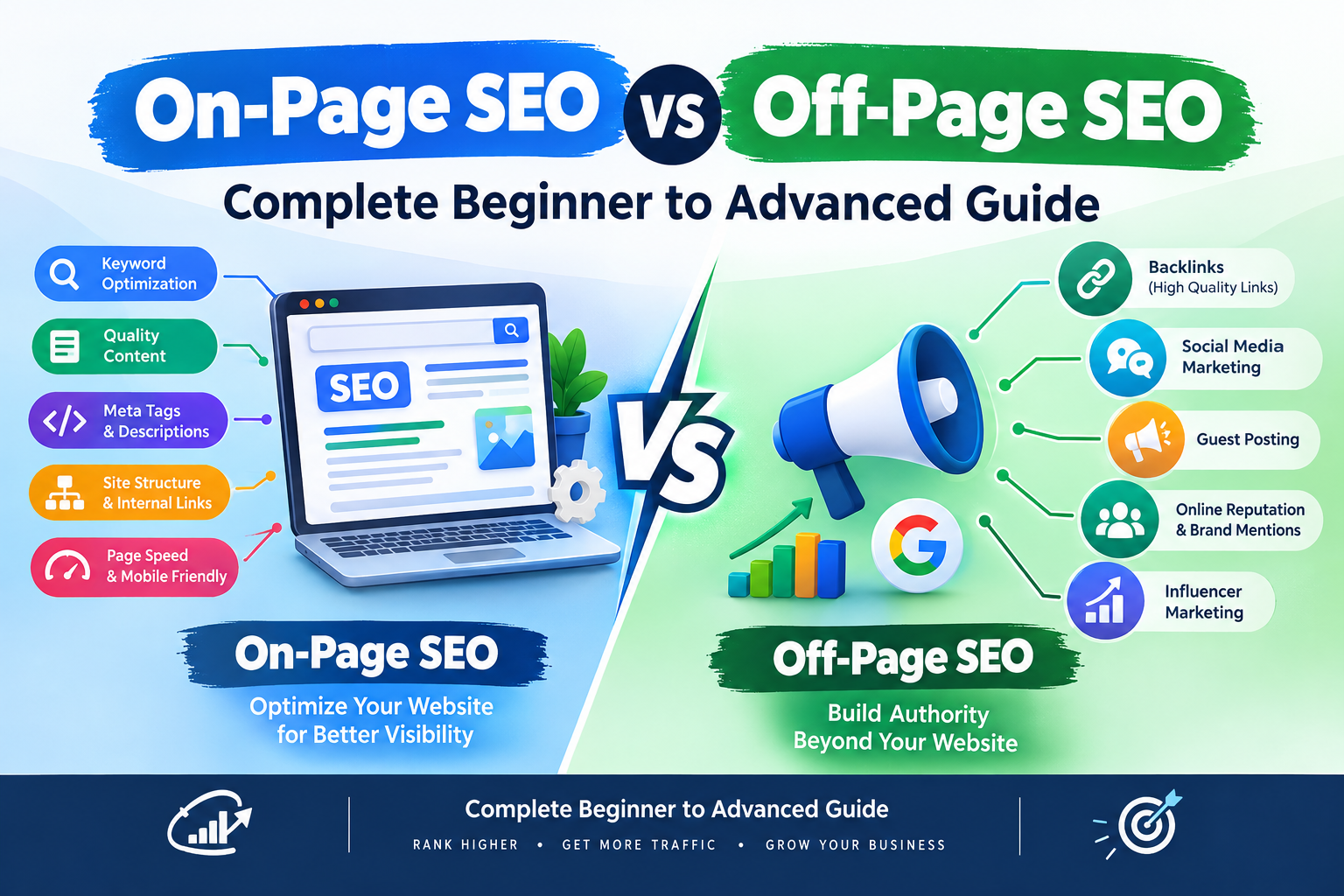
Presented by George Simte — Lead Mentor, Ad Campaign Academy (ACA-LAMKA) on-page and off-page SEO, Search Engine Optimization (SEO) is one of the most important digital marketing skills for businesses, bloggers, website owners and marketing professionals. A successful SEO strategy is not based on only adding keywords to a webpage. It involves improving the website…
-
How Much Does an E-Commerce Website Cost in India? Complete Pricing Guide

If you are planning to start an online store in India, one of the first questions you may have is: How much does an e-commerce website cost? The answer depends on several factors, including the platform you choose, number of products, design requirements, payment gateway, hosting, security, SEO, integrations, and ongoing maintenance. In this guide,…
-
School of digital marketing

Practical Digital Marketing Training Looking for the Best Digital Marketing Institute in Lamka? Learn digital marketing, SEO, paid advertising, e-commerce and AI marketing at Ad Campaign Academy (ACA – Lamka), serving learners in Churachandpur and across Manipur. GoogleMarketing Skills MetaAdvertising Skills SemrushSEO Skills 📍 Lamka, Churachandpur, Manipur, India Enquire About Admissions → Explore current course…