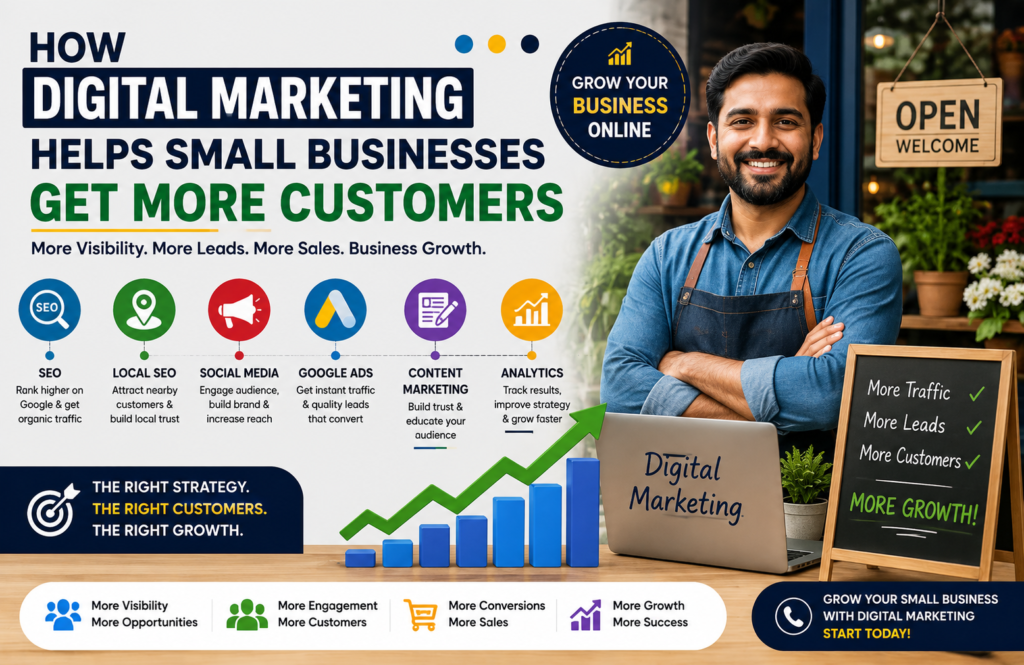
Digital marketing has become an important skill for students, job seekers, business owners, freelancers, and content creators. If you are looking for a Digital Marketing Professional Course in Churachandpur, Ad Campaign Academy (ACA) in Lamka offers practical training designed to help learners build real-world digital marketing skills.
The Google Digital Marketing & E-commerce Professional Course in Lamka combines digital marketing, advertising, SEO, website development, e-commerce, analytics, social media, and AI-powered marketing skills in one structured program. Digital Marketing Professional Course in Churachandpur
Job-Ready Digital Marketing Course with 90+ Modules
ACA-Lamka provides a job-focused curriculum with 90+ course modules covering the major skills used by digital marketers today. Instead of focusing only on theory, learners work on practical exercises, assignments, campaigns, websites, SEO projects, and business case studies.
The goal is to help learners develop a portfolio and practical knowledge that can be useful when applying for jobs, starting freelance work, or promoting their own business.
Students can learn skills related to:
- Search Engine Optimization (SEO)
- Google Ads and PPC advertising
- Facebook and Instagram advertising
- Social media marketing
- Content marketing
- Email marketing
- Lead generation
- WordPress website development
- WooCommerce and e-commerce
- Shopify fundamentals
- Google Analytics and GA4
- Google Search Console
- Keyword research
- Technical, on-page and off-page SEO
- YouTube marketing
- AI tools for digital marketing
- Marketing analytics and reporting
- CRM and lead management
- Digital marketing strategy
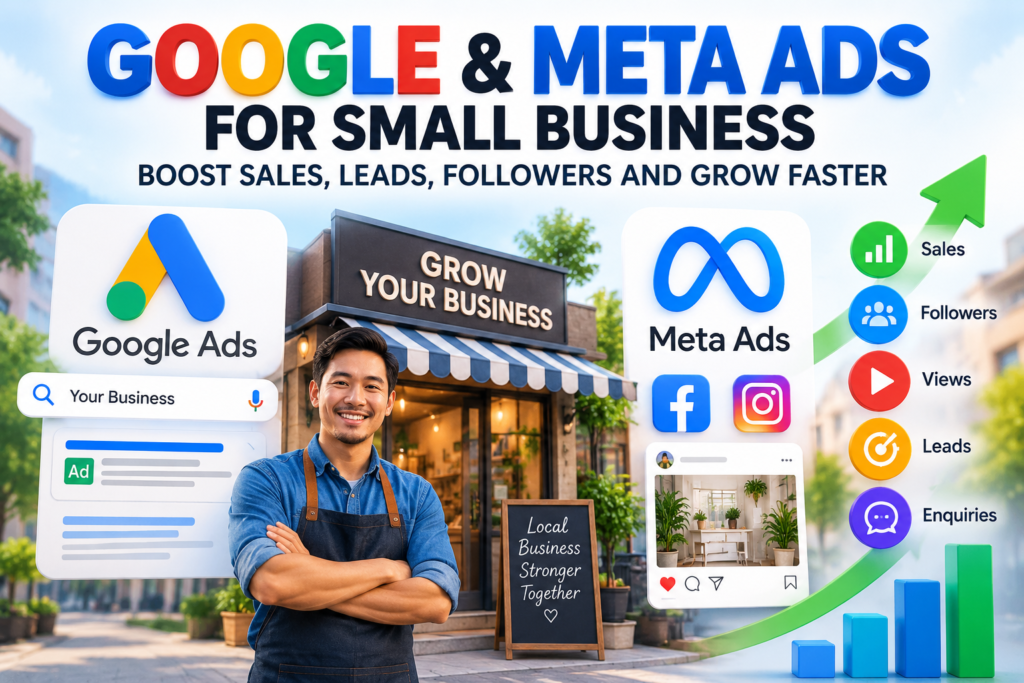
Google Digital Marketing & E-commerce Course in Lamka
The course is designed around modern digital marketing and e-commerce skills. Learners can understand how businesses attract visitors, generate leads, build online stores, run advertising campaigns, measure results, and convert online traffic into customers. Digital Marketing Professional Course in Churachandpur
The training is suitable for learners who want to understand both digital marketing and online business.
The course duration is approximately 3 to 6 months, depending on the selected learning program and curriculum.
Practical Training and Demo Class
One of the important features of the course is practical learning. Learners can work on real-world assignments and projects instead of simply studying digital marketing concepts.
ACA-Lamka also provides a demo class so prospective learners can understand the teaching approach, practical activities, course structure, and learning environment before joining.
Learners are encouraged to bring their own laptop for practical sessions so they can practice the skills taught during class.
Who Can Join the Course?
The Digital Marketing Professional Course in Churachandpur is suitable for different types of learners.
Students can learn career-oriented digital skills while building practical projects.
Job seekers can develop skills for digital marketing, SEO, advertising, e-commerce, and other online marketing roles.
Business owners can learn how to promote products and services online, generate leads, build websites, and reach customers through Google and social media.
Content creators can learn SEO, YouTube marketing, social media growth, content strategy, advertising, and analytics.
Freelancers and working professionals can also use these skills to provide digital marketing services to clients.
Build Skills for Jobs, Freelancing and Business
Digital marketing offers multiple career paths. After developing practical skills, learners can explore roles such as SEO Executive, Digital Marketing Executive, Google Ads Specialist, Social Media Marketer, Performance Marketer, E-commerce Executive, Content Marketing Specialist, and other digital marketing positions.
For entrepreneurs, the same skills can help build an online presence, promote products, generate enquiries, and develop an e-commerce business. Digital Marketing Professional Course in Churachandpur
Start Learning Digital Marketing in Churachandpur
If you are searching for a Digital Marketing Course in Churachandpur, Manipur, ACA-Lamka provides a structured learning environment combining practical training, projects, assignments, digital marketing tools, SEO, advertising, e-commerce, and AI marketing skills.
The 3–6 month Google Digital Marketing & E-commerce Professional Course in Lamka can be a useful starting point for students, job seekers, business owners, content creators, and aspiring freelancers who want to build practical digital skills. Digital Marketing Professional Course in Churachandpur
Attend a demo class, understand the curriculum, and start developing job-ready digital marketing skills through practical learning.
Table of Contents
- On-Page SEO vs Off-Page SEO: Complete Beginner to Advanced Guide
Presented by George Simte — Lead Mentor, Ad Campaign Academy (ACA-LAMKA)
on-page and off-page SEO, Search Engine Optimization (SEO) is one of the most important digital marketing skills for businesses, bloggers, website owners and marketing professionals. A successful SEO strategy is not based on only adding keywords to a webpage. It involves improving the website itself, creating useful content, building authority and earning trust from search engines and users.
Two major areas of SEO are On-Page SEO and Off-Page SEO.
In simple terms:
On-Page SEO = What you improve on your own website.
Off-Page SEO = What you do outside your website to build authority, visibility and trust.
This guide explains both techniques from beginner to advanced level with practical examples.
What Is On-Page SEO?
On-page SEO refers to optimizing the content and technical elements of individual webpages so search engines can better understand their topic and users can easily consume the information.
Important on-page SEO elements include:
- SEO-friendly titles
- Headings
- Keywords
- Content quality
- Meta descriptions
- URLs
- Internal links
- Images and alt text
- Content structure
- Search intent
- Mobile usability
- Page speed
- Structured data
Example of Basic On-Page SEO
Suppose you operate a digital marketing institute in Lamka.
Instead of creating a page with a generic title:
“Our Course”
You could create a more descriptive title:
“Digital Marketing Course in Lamka, Manipur | ACA-LAMKA”
The second title provides users and search engines with more context about the page.
1. Keyword Research
Keyword research is the foundation of effective on-page SEO.
Beginners should identify keywords that potential customers actually search for.
For example:
Primary keyword:
Digital marketing course in LamkaRelated keywords:
- Digital marketing course in Manipur
- Digital marketing institute in Lamka
- Digital marketing training in Churachandpur
- professional digital marketing course
- digital marketing course with internship
Advanced SEO goes beyond simply collecting keywords. You should understand search intent.
Four Common Search Intents
Informational:
“What is SEO?”Navigational:
“ACA-LAMKA”Commercial investigation:
“Best digital marketing course in Manipur”Transactional:
“Join digital marketing course in Lamka”Creating content that matches the searcher’s intent can make your SEO strategy much more effective.
2. SEO-Friendly Title
Your page title should clearly describe the content.
For example:
Weak:
“SEO Tips”Better:
“On-Page SEO Tips for Beginners”More targeted:
“On-Page SEO: Beginner to Advanced Guide with Examples”Avoid stuffing the title with repeated keywords.
3. Meta Description
A meta description summarizes a webpage for users viewing search results.
Example:
“Learn on-page and off-page SEO from beginner to advanced level with practical examples, keyword research, link building and optimization strategies.”
A good description should communicate the value of the page and encourage relevant users to click.
4. Heading Structure
Use headings to organize your content.
A basic structure could be:
H1: On-Page and Off-Page SEO Guide
H2: What Is On-Page SEO?
H2: On-Page SEO Techniques
H3: Keyword Research
H3: Internal Linking
H3: Image Optimization
H2: What Is Off-Page SEO?
H2: Off-Page SEO Techniques
This structure helps readers scan the article and makes the topic easier to understand.
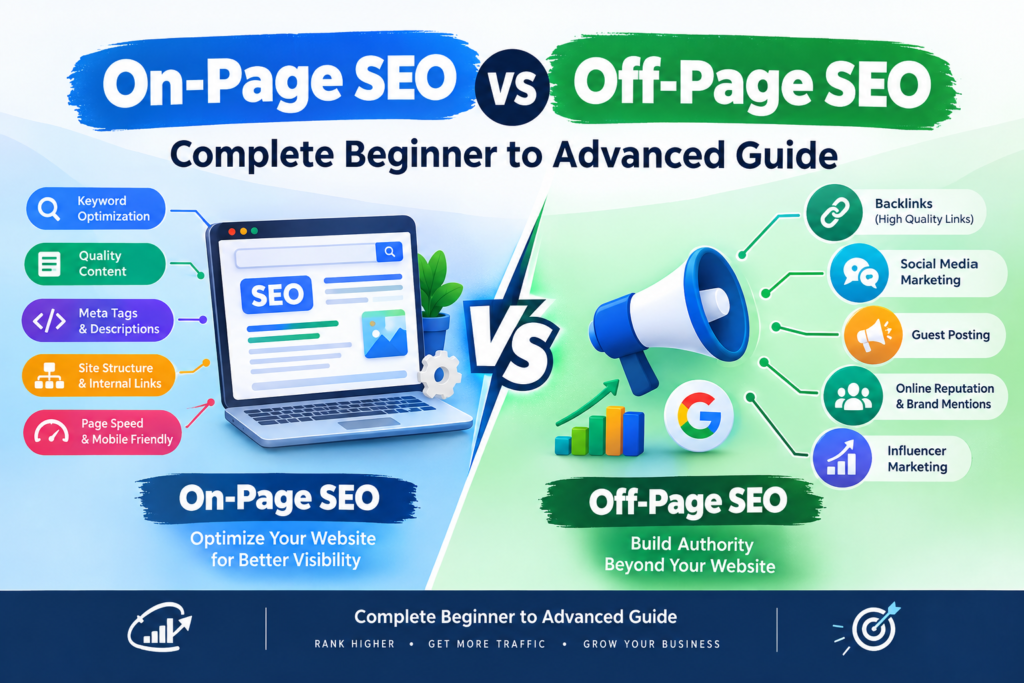
Learn on-page and off-page SEO from beginner to advanced with practical examples and strategies. 5. Content Optimization
SEO content should answer the user’s question comprehensively. off-page SEO techniques
For example, if the target keyword is:
“SEO service in Churachandpur”
A useful page could explain:
- What SEO services include
- Local SEO
- Google Business Profile optimization
- Technical SEO
- Keyword research
- Content marketing
- Reporting
- Expected timelines
- Frequently asked questions
Avoid writing hundreds of words simply to increase word count.
Helpful content is more important than unnecessary length.
6. Internal Linking
Internal links connect pages within your own website.
For example:
A blog about keyword research can link to:
SEO Services → Digital Marketing Course → Contact Page
A good internal linking structure helps users discover related content and helps search engines understand relationships between pages.
Advanced Internal Linking Example
Imagine you have these pages:
/seo//local-seo//keyword-research//technical-seo//seo-course/
Your keyword research article could link naturally to the SEO service page and technical SEO guide.
This creates a stronger content structure.
7. Image SEO
Images should also be optimized.
Instead of:
IMG12345.jpguse:
on-page-seo-guide-beginners.jpgExample alt text:
“On-page SEO optimization checklist for beginners”
Image optimization can also include:
- Appropriate file format
- Compressed images
- Descriptive filenames
- Relevant alt text
- Responsive images
- Appropriate dimensions
8. URL Optimization
Keep URLs short, descriptive and relevant.
Poor URL:
website.com/page?id=12345Better:
website.com/on-page-seo-guide/Avoid unnecessary words and complicated URL structures.
What Is Off-Page SEO?
Off-page SEO includes activities outside your website that can help build your website’s authority, reputation, visibility and relationships.
Common off-page SEO activities include:
- Link building
- Digital PR
- Brand mentions
- Guest contributions
- Business citations
- Local directories
- Partnerships
- Community participation
- Content promotion
- Reviews
- Social distribution
The most well-known component is backlink building.
What Is a Backlink?
A backlink is a link from another website to your website.
For example:
A local business publication writes an article about digital marketing institutes in Manipur and links to your website.
That link is a backlink.
However, not every backlink has the same value.
A relevant, trustworthy link can be more useful than many unrelated or low-quality links.
Beginner Off-Page SEO Example
Suppose you own a digital marketing academy.
You could start by creating accurate business profiles on relevant platforms and directories.
You can also:
- Build local citations
- Encourage genuine customer reviews
- Publish useful content
- Share educational resources
- Build relationships with local businesses
- Participate in relevant professional communities
The goal is to build a genuine online presence rather than simply collecting links.
Intermediate Link Building
Once you understand the basics, you can explore more structured link-building strategies.
1. Guest Contributions
Create genuinely useful content for relevant websites.
For example:
A digital marketing professional could contribute an article about:
“How Local Businesses Can Use SEO to Generate Leads.”
The article may include an appropriate author or resource link where permitted.
2. Digital PR
Create content that journalists, publishers or industry websites may find valuable.
Examples include:
- Original research
- Industry reports
- Surveys
- Local business studies
- Expert commentary
- Data-driven articles
If publishers reference your research, they may link to your website.
3. Resource Link Building
Create genuinely useful resources such as:
- SEO checklists
- Marketing templates
- Industry guides
- Statistics pages
- Tutorials
- Calculators
Other websites may naturally reference useful resources.
Advanced Off-Page SEO
Advanced SEO focuses less on obtaining random links and more on building authority, relevance and brand recognition.
Digital PR + SEO
Suppose an academy publishes a local study:
“Digital Marketing Skills Employers Need in Manipur.”
If the research contains useful original data, local publications and industry websites may reference it.
This can generate:
- Brand mentions
- Referral traffic
- Backlinks
- Professional credibility
Topical Authority
Instead of publishing one article about SEO, create a complete content ecosystem.
For example:
SEO Pillar Page
→ Keyword Research
→ Technical SEO
→ On-Page SEO
→ Off-Page SEO
→ Local SEO
→ Link Building
→ SEO Analytics
→ SEO Tools
This helps establish comprehensive topical coverage.
On-Page SEO vs Off-Page SEO
On-Page SEO Off-Page SEO Website optimization External website activities Content optimization Authority building Keywords Backlinks Titles Digital PR Headings Brand mentions Internal links Citations Image optimization Reviews URL optimization Content promotion Technical improvements Relationship building The two strategies work together.
A website with excellent backlinks but poor content may provide a poor user experience.
Likewise, a technically excellent website with no authority or visibility may struggle to compete for competitive search terms. on-page and off-page SEO
Beginner-to-Advanced SEO Roadmap
Level 1: Beginner
Learn:
- SEO fundamentals
- Keyword research
- Search intent
- Titles
- Meta descriptions
- Headings
- Basic content optimization
- Internal links
- Image SEO
Level 2: Intermediate
Learn:
- Technical SEO
- Local SEO
- Google Search Console
- Google Analytics
- Content clusters
- Competitor analysis
- Backlink analysis
- SEO audits
- Structured data
Level 3: Advanced
Learn:
- Advanced technical SEO
- Enterprise SEO concepts
- Digital PR
- Advanced link acquisition
- Topical authority
- International SEO
- E-commerce SEO
- JavaScript SEO
- Log-file analysis
- Advanced analytics
- SEO automation
- AI-assisted SEO workflows
Practical SEO Project Example
Imagine you want to rank a website for: SEO for beginners
“Digital Marketing Course in Lamka.”
Step 1: Keyword Research
Identify relevant primary and supporting search terms.
Step 2: Create the Landing Page
Build a useful page explaining:
- Course duration
- Modules
- Practical training
- Internship
- Eligibility
- Projects
- Certification
- FAQs
- Enquiry process
Step 3: Optimize On-Page SEO
Optimize:
- Title
- H1
- H2 sections
- URL
- Meta description
- Images
- Internal links
- Structured data
Step 4: Build Local Relevance
Improve:
- Business information
- Local citations
- Google Business Profile
- Genuine customer reviews
- Local content
Step 5: Promote the Content
Share useful educational resources through relevant channels and build relationships with local organizations, publications and businesses. on-page and off-page SEO
Step 6: Measure Results
Monitor:
- Search impressions
- Clicks
- Rankings
- Organic traffic
- Leads
- Conversions
- Backlinks
- Engagement
SEO should be measured by business outcomes, not rankings alone.
Common SEO Mistakes to Avoid
Beginners often make several mistakes:
- Keyword stuffing
- Buying large quantities of backlinks
- Copying competitors
- Creating thin content
- Using irrelevant backlinks
- Ignoring technical SEO
- Ignoring mobile users
- Publishing without understanding search intent
- Using misleading titles
- Expecting immediate results
SEO is a long-term process. Sustainable growth normally comes from consistently improving content, technical quality, authority and user experience.
Final Thoughts
On-page SEO and off-page SEO are complementary parts of a complete SEO strategy.
On-page SEO helps search engines understand and users experience your website. Off-page SEO helps build reputation, authority and visibility beyond your website. on-page SEO techniques
For beginners, start with keyword research, search intent, quality content, titles, headings and internal linking. As your skills improve, move into technical SEO, local SEO, analytics, digital PR, authority building and advanced SEO strategies.
Learn the fundamentals. Practise with real projects. Analyse the results. Improve continuously.
Presented by George Simte — ACA-LAMKA
At Ad Campaign Academy (ACA-LAMKA), learners can develop practical digital marketing skills covering SEO, Google Ads, Meta Ads, WordPress, e-commerce, analytics, content marketing, AI marketing and other professional skills through project-based learning.
Your SEO journey can follow a simple roadmap:
Learn → Practise → Build Projects → Analyse → Optimise → Grow
Frequently Asked Questions About On-Page and Off-Page SEO
1. What is the difference between on-page SEO and off-page SEO?
On-page SEO involves optimizing elements on your own website, including content, keywords, headings, URLs, images, internal links and technical performance. Off-page SEO focuses on activities outside your website, such as link building, digital PR, citations, brand mentions and reputation building.
2. Which is more important: on-page SEO or off-page SEO?
Both are important and work together. On-page SEO helps search engines understand your website and helps users find useful information, while off-page SEO can help build authority and credibility. A strong SEO strategy should address both.
3. What are some examples of on-page SEO?
Examples include keyword research, search-intent optimization, SEO titles, meta descriptions, H1/H2 headings, useful content, internal linking, image optimization, SEO-friendly URLs, structured data and improving page experience.
4. What are some examples of off-page SEO?
Off-page SEO examples include earning quality backlinks, digital PR, relevant business citations, genuine reviews, brand mentions, content promotion, industry relationships and contributing useful content to relevant websites.
5. How do backlinks help SEO?
A backlink is a link from another website to your website. Relevant and trustworthy backlinks can help demonstrate authority and may contribute to stronger search visibility. However, quality and relevance are more important than simply collecting a large number of links.
6. Can a new website rank on Google without backlinks?
Yes. A new website can potentially rank for relevant searches without having many backlinks, particularly for less competitive topics. Strong content, search-intent alignment, technical SEO and useful user experience are important. Backlinks can become more valuable as you compete for more competitive keywords.
7. How long does SEO take to show results?
SEO does not have a guaranteed timeline. Results can vary depending on competition, website quality, content, technical issues, authority and the search query. Some pages may gain visibility relatively quickly, while competitive keywords can require consistent optimization and content development over a much longer period.
8. What should a beginner learn first in SEO?
A beginner should start with SEO fundamentals, keyword research, search intent, on-page optimization, content creation, internal linking, basic technical SEO and Google Search Console. After understanding these fundamentals, they can progress to local SEO, link building, analytics and advanced SEO.
9. Is keyword stuffing good for SEO?
No. Repeating keywords unnaturally can make content difficult to read and may be considered a poor SEO practice. Use keywords naturally while focusing on answering the user’s search intent and providing genuinely useful information.
10. Can SEO be used for local businesses?
Yes. Local SEO can help businesses improve their visibility for location-based searches. Important activities can include optimizing local landing pages, maintaining accurate business information, managing a Google Business Profile, earning genuine reviews, creating locally relevant content and building relevant local citations.
11. What tools can beginners use to learn SEO?
Beginners can explore tools such as Google Search Console, Google Analytics, Google Trends, Google Keyword Planner, Semrush, Ahrefs, Moz and other SEO platforms. The important part is learning how to interpret the data rather than simply collecting reports.
12. Can I learn on-page and off-page SEO as part of a digital marketing course?
Yes. A professional digital marketing course can teach on-page SEO, technical SEO, keyword research, local SEO, content optimization, link-building concepts, analytics and practical SEO projects. At ACA-LAMKA, these skills can be incorporated into a broader digital marketing learning roadmap under the guidance of George Simte.
Final SEO Takeaway
Whether you are a beginner, website owner, freelancer or aspiring SEO professional, understanding both on-page SEO and off-page SEO is essential.
Start with the foundation:
Keyword Research → Search Intent → Quality Content → On-Page SEO → Technical SEO → Off-Page SEO → Analytics → Continuous Optimization
The more you practise with real websites and projects, the stronger your SEO skills become.
Presented by George Simte — Lead Mentor, Ad Campaign Academy (ACA-LAMKA).
Table of Contents
Course Fees in LAMKA
ACA – LAMKA₹55000/ 3 – 6 Months- Google digital marketing
- Free Hosting
- SEO PPC
- Website and ecommerce
- Job support
Visit on social media
https://www.youtube.com/@adcampaignacademy
https://www.facebook.com/adcampacademy
https://www.instagram.com/adcampacademy
https://www.reddit.com/user/digitalmang44
- How Much Does an E-Commerce Website Cost in India? Complete Pricing Guide
If you are planning to start an online store in India, one of the first questions you may have is: How much does an e-commerce website cost?
The answer depends on several factors, including the platform you choose, number of products, design requirements, payment gateway, hosting, security, SEO, integrations, and ongoing maintenance.
In this guide, we explain e-commerce website development costs in India, from a basic online store for a small business to a customized e-commerce platform for a growing company. e-commerce website cost in India
E-Commerce Website Cost in India
A typical e-commerce website in India can cost approximately:
Type of E-Commerce Website Approximate Cost Basic online store ₹15,000 – ₹40,000 Professional e-commerce website ₹40,000 – ₹1,00,000 Advanced e-commerce website ₹1,00,000 – ₹3,00,000+ Custom e-commerce platform ₹3,00,000 – ₹10,00,000+ Large marketplace ₹10,00,000+ These are general market ranges. The actual cost depends on the functionality, technology, number of products, integrations, design complexity, and development team.
1. Basic E-Commerce Website: ₹15,000–₹40,000
A basic e-commerce website is suitable for small businesses, local sellers, startups, and entrepreneurs who want to begin selling products online.
A basic website may include:
- Home page
- About Us page
- Contact page
- Product categories
- Product pages
- Shopping cart
- Checkout
- Customer registration
- Payment gateway
- WhatsApp integration
- Basic SEO
- Mobile-responsive design
- SSL security
For example, a small clothing store selling 50–100 products may not require complex custom development.
WordPress + WooCommerce can be a cost-effective option for this type of business.
2. Professional E-Commerce Website: ₹40,000–₹1,00,000
A professional e-commerce website is designed for businesses that want a more complete online shopping experience.
It may include:
- Custom homepage design
- Advanced product categories
- Product filters
- Product variations
- Coupon system
- Wishlist
- Customer accounts
- Multiple payment methods
- Shipping integration
- WhatsApp integration
- Google Analytics
- Google Search Console
- SEO-friendly architecture
- Product schema
- Speed optimization
- Security configuration
- Automated emails
- Order management
This range is often suitable for businesses that already have an established product catalog and want to build a professional online sales channel.
3. Advanced E-Commerce Website: ₹1 Lakh–₹3 Lakh+
An advanced e-commerce website may require more sophisticated functionality and integrations.
Examples include:
- Advanced product filtering
- Multiple payment gateways
- Multiple shipping providers
- CRM integration
- ERP integration
- Inventory synchronization
- Customer segmentation
- Advanced analytics
- Abandoned-cart recovery
- Automated marketing
- Product recommendation systems
- Advanced SEO
- Custom dashboards
- Third-party API integrations
The cost increases because development, testing, integrations, and ongoing maintenance become more complex.
4. Custom E-Commerce Development: ₹3 Lakh–₹10 Lakh+
Large businesses may require a completely customized e-commerce platform rather than a standard WordPress, Shopify, or WooCommerce setup.
Custom development may involve:
- Custom frontend
- Custom backend
- Database architecture
- Customer management system
- Inventory management
- Vendor management
- Payment integration
- Shipping API integration
- CRM/ERP integration
- Advanced reporting
- Custom admin dashboard
- Mobile applications
- Security and performance engineering
A custom platform can cost several lakhs depending on the project scope.
Major Factors That Affect E-Commerce Website Cost
1. Domain Name
Your domain is your website address, such as:
yourbrand.com
Domain prices vary depending on the extension and registrar.
Common extensions include:
- .com
- .in
- .co.in
- .store
- .shop
A domain is generally a relatively small part of the overall website budget.
2. Web Hosting
Your website needs hosting to store its files, database, images, and other resources.
Hosting costs can range from a few thousand rupees per year for a small website to significantly more for high-traffic stores requiring dedicated or cloud infrastructure.
The right hosting plan depends on:
- Website traffic
- Number of products
- Database size
- Images and videos
- Expected orders
- Performance requirements
3. Website Design
Design has a significant impact on e-commerce development costs.
A basic store may use a pre-designed theme, while a premium store may require a completely customized UI/UX.
Professional design should consider:
- Mobile users
- Product discovery
- Navigation
- Checkout experience
- Search
- Page speed
- Conversion optimization
A good-looking website is useful, but usability and checkout simplicity are equally important.

E-commerce Website Cost in India: Complete Pricing Guide 4. E-Commerce Platform
The platform you choose can significantly influence your total cost.
WordPress + WooCommerce
WooCommerce is popular among small and medium-sized businesses because it provides extensive customization options.
Potential costs include:
- Hosting
- Premium theme
- Plugins
- Development
- Maintenance
- Security
Shopify
Shopify provides a hosted e-commerce platform where many technical infrastructure responsibilities are handled by the platform.
Costs can include:
- Subscription
- Premium theme
- Apps
- Payment-related charges
- Development/customization
Custom Development
Custom development provides greater control but normally requires a larger initial investment and ongoing technical support.
5. Payment Gateway Integration
An Indian e-commerce store may need payment options such as:
- UPI
- Credit cards
- Debit cards
- Net banking
- Wallets
- Cash on Delivery
Payment gateway providers generally charge transaction-related fees according to their current pricing and terms.
Your development cost may also include integrating the payment gateway into the website.
6. Shipping Integration
If you sell physical products, shipping is another important component.
Depending on your business, you may integrate courier or logistics services for:
- Shipping rates
- Order creation
- Tracking
- Delivery updates
- Return management
Advanced shipping requirements can increase development costs.
7. Product Upload and Catalog Setup
Adding products can require considerable work.
For every product, you may need:
- Product name
- Description
- Images
- Price
- SKU
- Category
- Variations
- Stock quantity
- SEO title
- Meta description
- Product schema
If you have hundreds or thousands of products, catalog migration and optimization can add to the project cost. e-commerce website cost in India
8. SEO and Digital Marketing
Launching an e-commerce website is only the beginning.
You also need to attract potential customers.
An e-commerce marketing strategy may include:
- Technical SEO
- Keyword research
- Product SEO
- Content marketing
- Google Ads
- Meta Ads
- Shopping campaigns
- Social media marketing
- Email marketing
- WhatsApp marketing
- Remarketing
SEO and advertising should therefore be considered separately from the initial website-development budget.
9. Maintenance Cost
An e-commerce website requires regular maintenance.
Annual expenses may include:
- Hosting
- Domain renewal
- SSL/security
- Plugin updates
- Theme updates
- Backups
- Security monitoring
- Technical support
- Website maintenance
- Performance optimization
For a business generating regular online orders, maintenance is particularly important because downtime can directly affect sales. e-commerce website cost in India
Example E-Commerce Website Budget
Suppose a small Indian business wants an online store with approximately 100 products. e-commerce website price in India
A possible budget could look like this:
Requirement Estimated Budget Domain ₹800–₹2,000/year Hosting ₹3,000–₹15,000/year Website development ₹25,000–₹60,000 Theme/design ₹0–₹20,000+ Payment integration ₹0–₹10,000+ Product setup ₹5,000–₹20,000+ Basic SEO ₹5,000–₹20,000+ Maintenance ₹5,000–₹30,000+/year The final cost will depend on the provider, platform, functionality, and amount of customization required. online store development cost
How to Reduce E-Commerce Website Development Costs
You don’t necessarily need to spend several lakhs to start selling online.
Consider these strategies:
Start with essential features
Don’t build every possible feature on day one. Start with:
Products → Cart → Checkout → Payment → Shipping → Order management
Additional functionality can be added later.
Use WooCommerce or Shopify
For many small and medium businesses, established e-commerce platforms can reduce development time compared with building everything from scratch.
Prepare product information
Having product images, descriptions, prices, SKUs, and inventory information ready can reduce development and content-entry time. WooCommerce website cost India
Choose scalable hosting
Don’t automatically purchase expensive infrastructure before you need it. Choose hosting based on your current traffic and expected growth.
What Should You Ask an E-Commerce Developer?
Before hiring a developer or agency, ask:
- What platform will you use?
- Is hosting included?
- Is the domain included?
- How many products will be uploaded?
- Is payment gateway integration included?
- Is shipping integration included?
- Is mobile optimization included?
- Is basic SEO included?
- Are security and backups included?
- How long is the development period?
- What happens after the website launches?
- What is the annual maintenance cost?
Getting these details in writing can help you compare proposals more accurately.
E-Commerce Website Cost: Final Thoughts
There is no single fixed price for an e-commerce website in India.
A basic online store may start around ₹15,000–₹40,000, while a professional store can cost ₹40,000–₹1 lakh or more. Advanced and custom platforms can require investments of several lakhs.
The most important thing is to choose the platform and features according to your business requirements rather than simply choosing the cheapest development package. Shopify website cost India
If you are starting a small online business, WooCommerce or Shopify can provide a practical starting point. As your product catalog, traffic, and order volume grow, you can invest in more advanced integrations, automation, analytics, and custom functionality.
Planning an e-commerce website in India? Start by defining your products, target customers, required features, payment methods, shipping requirements, and marketing budget. This will give you a much clearer estimate of the total investment required.
Table of Contents
FOLLOW US NOW
https://www.youtube.com/@adcampaignacademy
https://www.facebook.com/adcampacademy
https://www.instagram.com/adcampacademy
https://www.reddit.com/user/digitalmang44

DIGITAL MARKETING PROFESSIONAL COURSE IN LAMKA – ACA
- School of digital marketing
Practical Digital Marketing Training Looking for the Best Digital Marketing Institute in Lamka?
Learn digital marketing, SEO, paid advertising, e-commerce and AI marketing at Ad Campaign Academy (ACA – Lamka), serving learners in Churachandpur and across Manipur.
GoogleMarketing Skills MetaAdvertising Skills SemrushSEO Skills📍 Lamka, Churachandpur, Manipur, India
Enquire About Admissions →Explore current course modules, certification pathways and admission details. Platform certifications depend on the relevant provider’s requirements.
Admissions & Career Skills School of Digital Marketing in Lamka
Build practical digital skills with Ad Campaign Academy (ACA – Lamka). Explore SEO, Google Ads, Meta Ads, website design, e-commerce and AI marketing through structured lessons, hands-on projects and career-focused guidance.
💳 Flexible EMI Support
Explore course-fee financing options with a down payment starting at 35%, subject to eligibility, approval and the academy’s payment terms.
📚 90+ Course Modules
Explore a broad curriculum covering SEO, paid advertising, social media, e-commerce, analytics, content marketing and AI-powered workflows.
🎯 Job-Ready Skills
Develop practical skills through guided projects, assignments, portfolio-building activities and career preparation.
💼 Career Guidance
Get guidance for job applications, freelancing, interview preparation and building a professional digital marketing portfolio.
🚀 Business Growth
Learn how to promote local businesses, generate leads, improve online visibility and build e-commerce websites and campaigns.
🤖 AI & Digital Tools
Explore generative AI, marketing automation, analytics tools and modern workflows for content, research and campaign optimization.
Who Can Join ACA – Lamka?
Students & Graduates Job Seekers Freelancers Business Owners Working Professionals Content Creators Aspiring EntrepreneursEMI availability, down-payment requirements and financing approval may vary. Course participation does not guarantee a job, income or placement. Contact ACA for current fees, offers and admission conditions.
Get Course Details & EMI Options →Learn • Practise • Grow Explore Our 20 Course Modules
Practical digital marketing training at Ad Campaign Academy (ACA – Lamka), Churachandpur, Manipur. Explore essential marketing, e-commerce and AI skills.
01 Digital Marketing Fundamentals
Understand channels, strategy and customer journeys.
02 Search Engine Optimization
Learn on-page, off-page and technical SEO.
03 Google Ads
Build search campaigns and track conversions.
04 Meta Ads
Explore Facebook and Instagram advertising.
05 Social Media Marketing
Plan content and grow brand engagement.
06 Content Marketing
Create useful content for audiences and brands.
07 WordPress Website Design
Build responsive websites and landing pages.
08 WooCommerce E-commerce
Set up online stores and product pages.
09 Shopify Store Design
Explore store setup and product management.
10 Google Analytics 4
Measure traffic, engagement and conversions.
11 Google Tag Manager
Learn tag deployment and event tracking.
12 Conversion Rate Optimization
Improve landing pages and conversion journeys.
13 Email Marketing & CRM
Explore customer nurturing and automation.
14 Affiliate Marketing
Understand affiliate models and tracking.
15 YouTube Marketing
Develop video content and channel strategies.
16 Generative AI for Marketing
Use AI tools for research and content workflows.
17 AI Marketing Automation
Explore workflows that streamline marketing tasks.
18 Lead Generation
Develop paid and organic lead strategies.
19 Local SEO & Google Business Profile
Improve local visibility for nearby customers.
20 Freelancing & Portfolio Building
Prepare project samples and client proposals.
Move your cursor over the cards to pause the animation. On touchscreens, swipe horizontally.
Get Course Syllabus on WhatsApp → ACA – Lamka | Digital Marketing Training in Churachandpur, Manipur - Digital Marketing Course for Professionals, Businesses and Local Businesses
Digital marketing has become an essential skill for professionals, entrepreneurs, business owners, and local businesses that want to build a strong online presence. Customers increasingly use Google, YouTube, Facebook, Instagram, and other online platforms to discover products, services, brands, and local businesses. A practical digital marketing course can help you understand how these platforms work and how to use them to generate visibility, leads, engagement, and business opportunities. digital marketing course for business
Learn Digital Marketing for Professional Growth
Professionals can use digital marketing skills to improve their career opportunities and develop valuable practical abilities. A professional digital marketing course can cover important areas such as SEO, Google Ads, Meta Ads, YouTube marketing, content marketing, social media marketing, analytics, email marketing, and AI marketing tools.
Instead of learning only theory, practical training can help learners understand how to create campaigns, analyze performance, research keywords, develop content, and measure results. These skills can be useful for marketing executives, freelancers, entrepreneurs, content creators, and professionals who want to expand their digital skills.
Learn YouTube Marketing
YouTube is an important platform for businesses and content creators. YouTube marketing involves more than simply uploading videos. Learners can understand how to research topics, optimize video titles and descriptions, use keywords, create engaging content, and promote videos to reach relevant audiences.
A digital marketing course can also introduce YouTube Ads, allowing businesses to understand how video advertising can be used for brand awareness, product promotion, lead generation, and customer acquisition.
Learn Meta Ads for Business Growth
Facebook and Instagram provide powerful advertising opportunities for businesses. Meta Ads training can help learners understand campaign objectives, audience targeting, creative development, budgets, placements, lead campaigns, retargeting, and performance measurement. digital marketing course for business
For local businesses, Meta Ads can be useful for promoting offers, generating enquiries, increasing awareness, and connecting with potential customers in specific locations.
Digital Marketing for Local Businesses
Local businesses such as restaurants, hotels, retailers, clinics, professionals, educational institutes, service providers, and shops need to be visible when customers search online.
A digital marketing course can teach local businesses how to improve their Google Business Profile, local SEO, website visibility, social media presence, online reviews, and paid advertising campaigns. These activities can help businesses make it easier for potential customers to discover their products and services online. digital marketing course for professionals
Learn SEO and Google Ads
SEO helps businesses improve their visibility in organic search results. Students can learn keyword research, on-page SEO, technical SEO, content optimization, local SEO, link building, and SEO analytics.
Google Ads provides another way to reach people who are actively searching for products and services. Training can cover search campaigns, keywords, ad copy, conversion tracking, campaign optimization, and budgeting.
Learn Website and E-Commerce Marketing
A strong website can become the foundation of a digital marketing strategy. Learners can explore WordPress, landing pages, e-commerce websites, WooCommerce, Shopify, conversion optimization, and website analytics. digital marketing course for professionals
For businesses selling products online, understanding e-commerce marketing can help connect advertising, SEO, content, social media, and sales activities into one digital strategy. YouTube marketing course
Why Practical Digital Marketing Training Matters
Digital marketing platforms and tools continue to change. Practical learning helps professionals and business owners understand how to apply marketing concepts to real projects rather than simply memorizing definitions.
A comprehensive course can combine SEO, Google Ads, Meta Ads, YouTube marketing, content marketing, social media, analytics, website marketing, e-commerce, and AI-powered marketing tools to create a broader understanding of digital business growth.
Start Building Your Digital Marketing Skills
Whether you are a professional looking to develop new skills, a business owner seeking more online visibility, or a local business wanting to reach customers online, learning digital marketing can provide practical knowledge for today’s digital marketplace. digital marketing course for business YouTube marketing course
Choose a course that provides hands-on projects, campaign practice, current tools, assignments, and guidance from experienced mentors. With consistent practice, digital marketing skills can be applied to personal brands, businesses, freelance projects, and professional marketing roles.
Table of Contents

GET ₹10000 DISCOUNT THIS WEEK ONLY
- JavaScript SEO: How Search Engines Crawl JavaScript Websites
By ACA LAMKA – Digital Marketing School
JavaScript has become an essential part of modern website development. Interactive menus, dynamic content, product filters, web applications, animations, dashboards, and many other features rely on JavaScript. However, JavaScript can also create SEO challenges when search engines cannot easily discover, render, or index important content.
Understanding JavaScript SEO helps website owners, developers, SEO professionals, and digital marketers build websites that are both interactive and search-engine friendly.
What Is JavaScript SEO?
JavaScript SEO is the process of optimizing JavaScript-powered websites so that search engines can crawl, render, understand, and index their content effectively.
Traditional HTML websites generally deliver their content directly in the initial HTML response. JavaScript websites may require additional processing before important content becomes visible.
For example, a website might initially deliver:
<div id="products"></div>JavaScript may then retrieve product information and insert it into the page.
If important content is only available after JavaScript execution, search engines need to process that JavaScript before they can fully understand the page.
How Search Engines Crawl JavaScript Websites
Search engines generally process JavaScript websites through several stages. JavaScript crawling and indexing
1. Crawling
The first stage is crawling.
A search engine crawler, such as Googlebot, discovers URLs through links, sitemaps, redirects, and other signals. It requests the webpage from the server.
A well-structured website should make important pages discoverable through normal HTML links and an XML sitemap.
2. Processing the HTML
The crawler receives the initial HTML document.
At this stage, some JavaScript-powered websites may contain only limited visible content. Important information might be loaded later through JavaScript.
This is why relying entirely on client-side JavaScript for essential SEO content can create problems.
3. Rendering JavaScript
Search engines can render JavaScript to understand content generated or modified by JavaScript.
During rendering, the browser-like rendering process executes supported JavaScript and produces a rendered version of the page.
This can allow search engines to discover content that wasn’t present in the original HTML response.
4. Indexing
After processing and rendering, search engines analyze the page and determine what content and information can be added to their index.
If important content, links, structured data, titles, or other SEO elements are inaccessible or incorrectly generated, indexing may be affected.
Why JavaScript Can Create SEO Problems
JavaScript itself is not automatically bad for SEO. The problem occurs when JavaScript prevents search engines or users from accessing important information.
Common problems include:
- Important content loaded only through JavaScript
- JavaScript errors
- Poor internal linking
- Incorrect URL structures
- Content requiring user interaction
- Blocked JavaScript resources
- Incorrect canonical URLs
- Missing metadata
- Client-side redirects
- Slow rendering
- Infinite scrolling without crawlable URLs
- JavaScript-generated structured data implemented incorrectly
A technically advanced website can still have SEO problems if search engines cannot reliably access its important content. How search engines crawl JavaScript
JavaScript Rendering vs Server-Side Rendering
There are several ways to deliver JavaScript content.
Client-Side Rendering (CSR)
With client-side rendering, the browser receives a basic HTML document and JavaScript generates much of the page content.
Advantages:
- Highly interactive experiences
- Useful for web applications
- Reduced server-side rendering workload
Potential SEO challenges:
- Search engines may need additional rendering
- Initial content may be limited
- Rendering can introduce performance issues
Server-Side Rendering (SSR)
With server-side rendering, the server generates HTML containing the page’s content before sending it to the browser.
This can make important content immediately available in the HTML response.
SSR can be particularly useful for content-heavy websites where search visibility is important.
Static Site Generation (SSG)
Static site generation creates HTML pages ahead of time.
This approach can provide fast initial page delivery and makes important content available in the HTML.
The appropriate approach depends on the website’s purpose, technology, content, and performance requirements.
How to Make JavaScript Websites SEO-Friendly
1. Make Important Content Available in HTML
Your most important SEO content should not depend unnecessarily on JavaScript. JavaScript SEO
Make sure search engines can access:
- Main headings
- Body content
- Product information
- Navigation
- Important internal links
- Images and relevant image information
- Structured data
- Important calls to action
2. Use Crawlable Internal Links
Internal links help search engines discover pages and understand website architecture.
Prefer standard HTML links such as:
<a href="/digital-marketing-course/">Digital Marketing Course</a>Avoid relying entirely on JavaScript click events that do not provide conventional crawlable URLs.
3. Check Your Robots.txt File
Your
robots.txtfile should not accidentally prevent search engines from accessing resources required to understand your pages.For example, unnecessarily blocking JavaScript or CSS resources can interfere with rendering.
Always review your robots.txt configuration when troubleshooting JavaScript SEO.
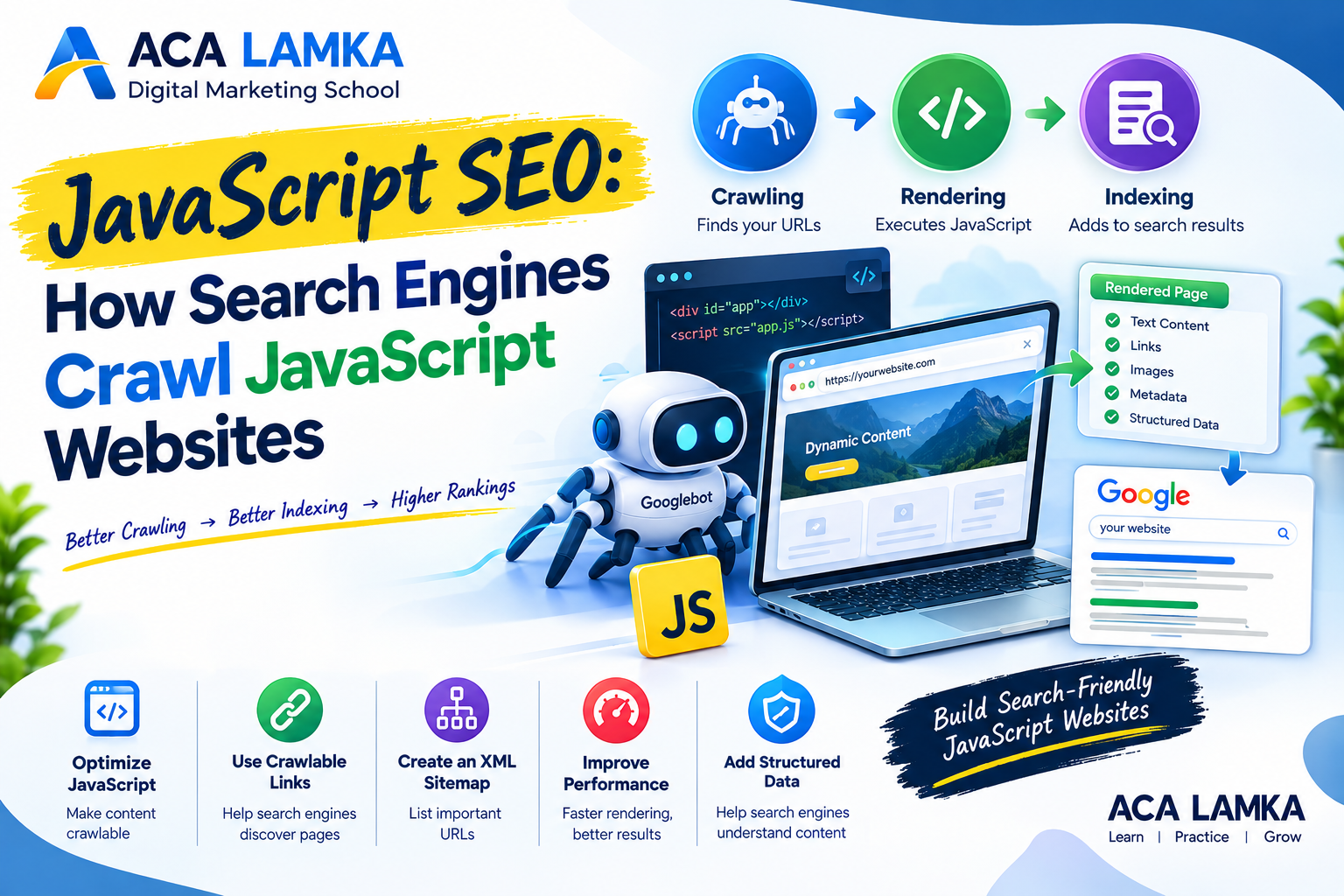
JavaScript SEO guide explaining how search engines crawl, render and index JavaScript websites. 4. Create an XML Sitemap
An XML sitemap provides search engines with a list of important URLs on your website.
For example:
<url>
  <loc>https://example.com/digital-marketing-course/</loc>
</url>
Keep your sitemap updated and include canonical URLs that you want search engines to discover.
5. Use Proper Page Titles and Meta Descriptions
Every important page should have a meaningful title and meta description.
For example:
Title:
Digital Marketing Course in Lamka | ACA LAMKAMeta description:
Learn practical digital marketing, SEO, Google Ads, Meta Ads and e-commerce skills at ACA LAMKA.If JavaScript dynamically changes metadata, verify that the final rendered page contains the correct information. JavaScript SEO
6. Optimize JavaScript Performance
Large JavaScript files can increase loading and processing time.
Consider:
- Minifying JavaScript
- Removing unnecessary scripts
- Code splitting
- Lazy loading appropriate resources
- Using browser caching
- Reducing third-party scripts
- Compressing files
- Improving server response time
Better performance can improve the experience for both users and search engines.
JavaScript SEO and Structured Data
Structured data helps search engines understand specific types of content.
For example, a website may use structured data for:
- Courses
- Products
- Articles
- Events
- Organizations
- Local businesses
- FAQs
If structured data is generated through JavaScript, check the rendered page and validate the implementation.
Do not add structured data that does not accurately represent visible page content.
JavaScript SEO for E-Commerce Websites
JavaScript is widely used in e-commerce websites for:
- Product filtering
- Shopping carts
- Product variations
- Reviews
- Recommendations
- Dynamic pricing
- Search
- Checkout systems
SEO becomes particularly important for product and category pages.
Make sure important products and categories have unique, crawlable URLs and that search engines can discover them through internal links or XML sitemaps.
For example:
example.com/shoes/and
example.com/shoes/running-shoes/should be accessible URLs rather than pages that appear only after a user performs a JavaScript action.
How to Test a JavaScript Website for SEO
A practical JavaScript SEO audit should include several checks.
Check 1: View the Source
Look at the original HTML source and determine whether important content exists before JavaScript execution.
Check 2: Inspect the Rendered Page
Compare the original HTML with the rendered DOM.
Look for differences in:
- Text
- Links
- Titles
- Metadata
- Images
- Structured data
Check 3: Use Google Search Console
Google Search Console can help website owners identify indexing and crawling issues.
Check:
- Page indexing
- URL inspection
- Sitemaps
- Crawl-related reports
- Search performance
Check 4: Test Important URLs
Select important pages such as:
- Homepage
- Service pages
- Blog posts
- Product pages
- Category pages
- Landing pages
Then verify that search engines can discover, render, and index them properly.
Common JavaScript SEO Mistakes
Mistake 1: Hiding Important Content Behind User Interaction
If essential content appears only after clicking a button or performing an interaction, accessibility and discoverability can become more complicated. How search engines crawl JavaScript
Mistake 2: JavaScript-Only Navigation
Navigation should provide crawlable links to important pages.
Mistake 3: Changing URLs Incorrectly
Single-page applications need a clear URL structure so individual pages or views can be discovered and indexed.
Mistake 4: Blocking Required Resources
Incorrect robots.txt rules can interfere with rendering.
Mistake 5: Ignoring Mobile Performance
A website that works well on desktop may still have performance problems on mobile devices.
Mistake 6: Forgetting Canonical URLs
Dynamic websites can accidentally create multiple URLs containing substantially similar content.
Use canonicalization appropriately to communicate the preferred URL.
JavaScript SEO Checklist
Use this checklist when auditing a JavaScript website:
- ✅ Important content is accessible
- ✅ Important pages have unique URLs
- ✅ Internal links use crawlable URLs
- ✅ XML sitemap is available
- ✅ Robots.txt does not block essential resources
- ✅ Page titles are correctly implemented
- ✅ Meta descriptions are present
- ✅ Canonical URLs are correct
- ✅ Structured data is valid
- ✅ JavaScript errors are investigated
- ✅ Website works effectively on mobile
- ✅ Core Web Vitals and performance are monitored
- ✅ Important pages can be discovered through internal links
- ✅ Google Search Console is regularly monitored
JavaScript SEO for Digital Marketers
Digital marketers do not necessarily need to become JavaScript developers, but understanding how JavaScript affects SEO is increasingly valuable.
An SEO professional working with developers should understand the difference between:
Raw HTML → JavaScript Rendering → Rendered Content → Indexing
This makes it easier to identify whether an SEO problem is related to content, crawling, rendering, indexing, or website architecture.
For businesses, this is especially important when migrating from a traditional WordPress website to a JavaScript framework or developing a modern web application.
FAQ FOR ACA – LAMKA
Conclusion
JavaScript enables businesses to create fast, interactive, and highly engaging websites, but SEO should be considered during development rather than added afterward.
A search-friendly JavaScript website should provide crawlable URLs, accessible content, reliable internal links, appropriate metadata, structured data, strong performance, and a technically sound website architecture.
For digital marketers and website owners, learning JavaScript SEO provides an important advantage when working with modern websites and development teams.
Learn Digital Marketing and SEO at ACA LAMKA
ACA LAMKA – Digital Marketing School focuses on practical digital marketing skills, including SEO, technical SEO, on-page SEO, off-page SEO, Google Ads, Meta Ads, social media marketing, content marketing, website marketing, e-commerce, analytics, and lead generation.
Students can use practical projects to understand how SEO and digital marketing work in real-world business environments.
Start learning SEO and digital marketing with ACA LAMKA.
Table of Contents

Digital marketing helps content creators reach, engage, and grow their target audience. https://www.youtube.com/@adcampaignacademy
https://www.facebook.com/adcampacademy
https://www.instagram.com/adcampacademy
https://www.reddit.com/user/digitalmang44